Q App • Spring 2026
The Q App has been completely renewed this spring. Everything from the home page to Q Guard alerts has been redesigned with one goal in mind: making it easier to know what is happening on your boat and to act on it.
The new design brings a clearer look and feel, more intuitive navigation, better visibility of your boat's Q Connected status and subscription, and improved Q Guard alerts.
Unlike before, battery voltage is now visible directly in the app without the need for Q Guard Cables. Whether you are at the dock or far from the marina, the renewed Q App gives you a clearer picture of your boat at a glance.
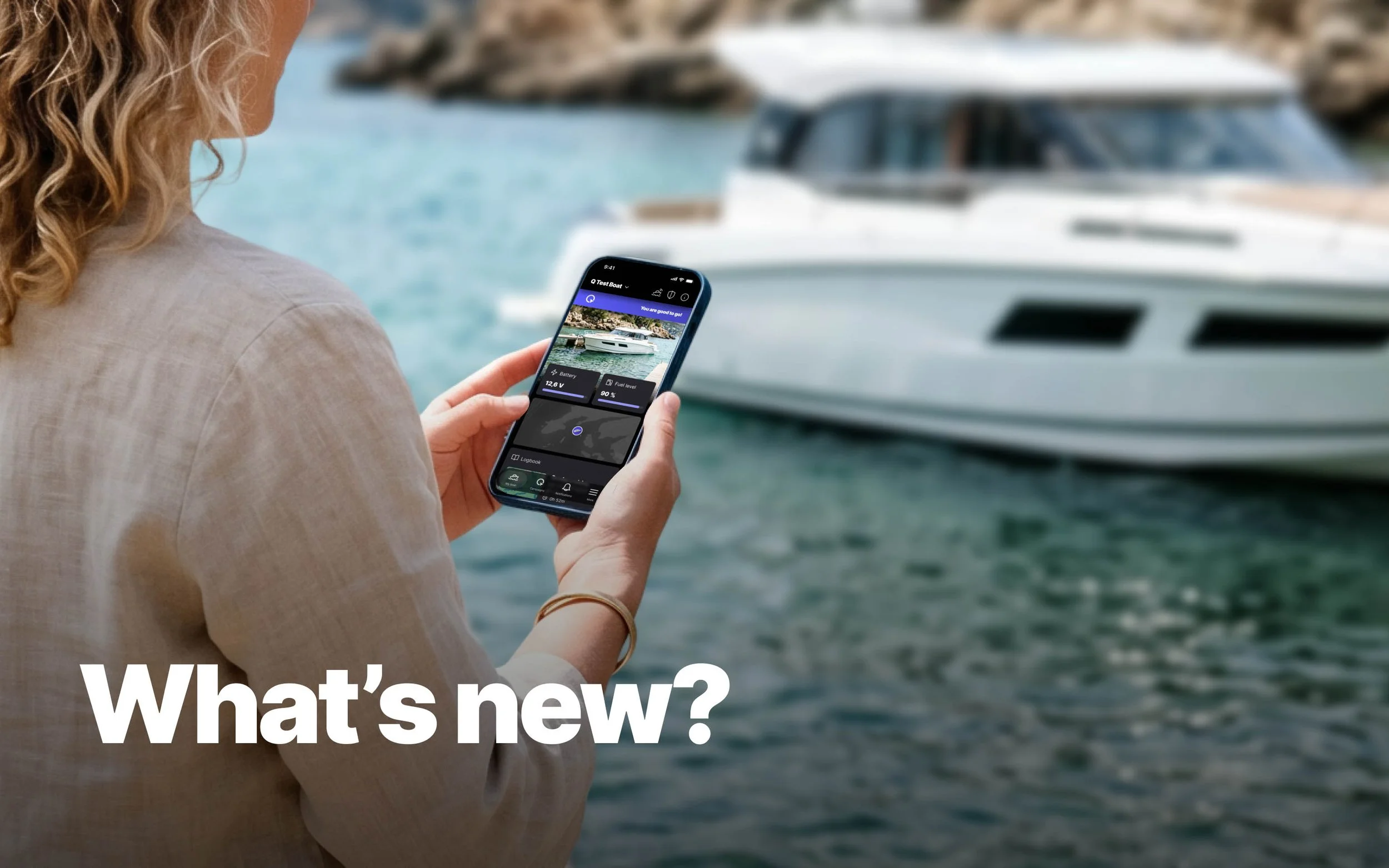
New look and feel
The Q App has a new visual style. The interface is cleaner and more consistent, and the app now reflects your boat brand's look more prominently than before. You can also choose between dark and light themes to suit your preference and the lighting conditions around you.
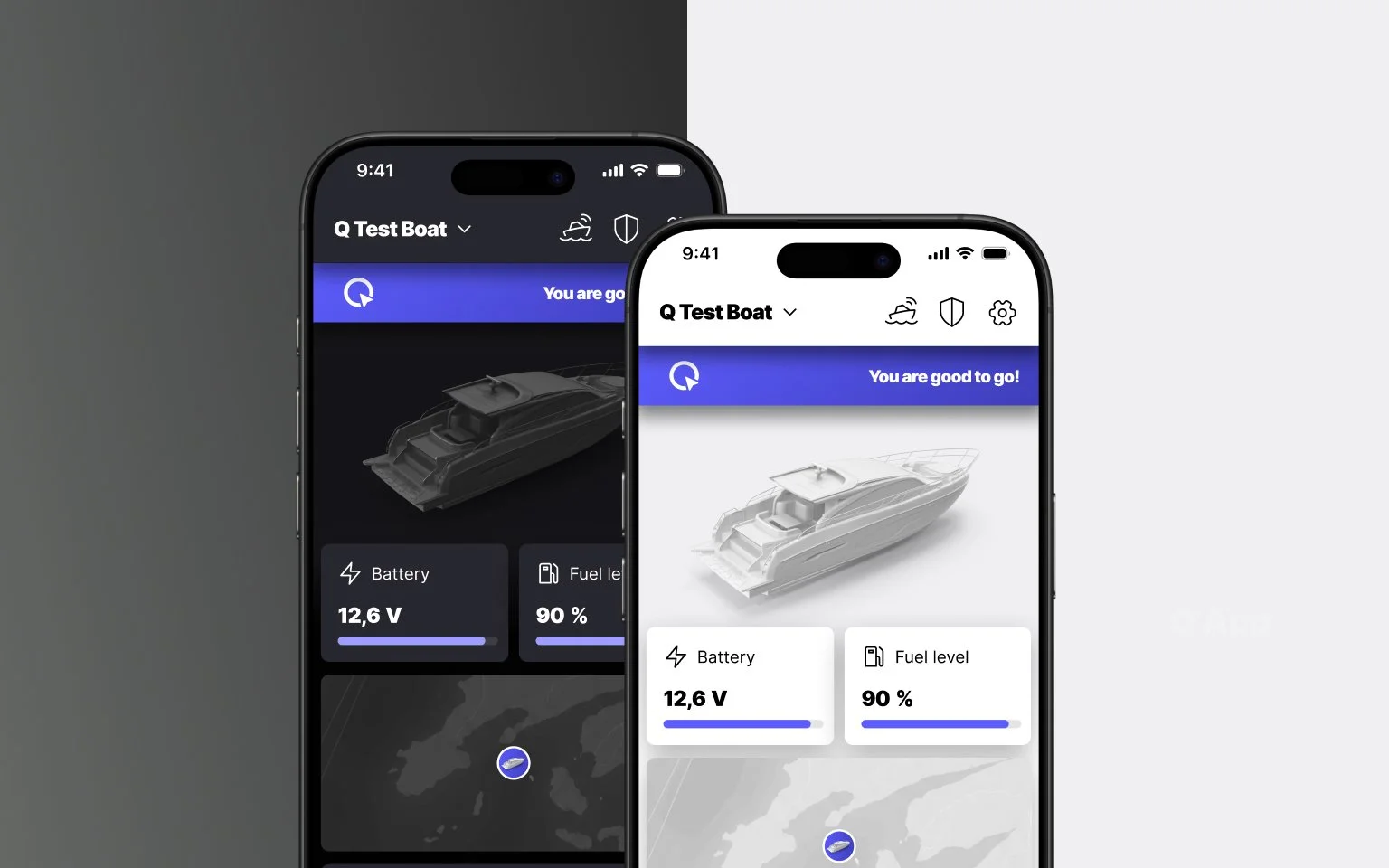
Redesigned home page
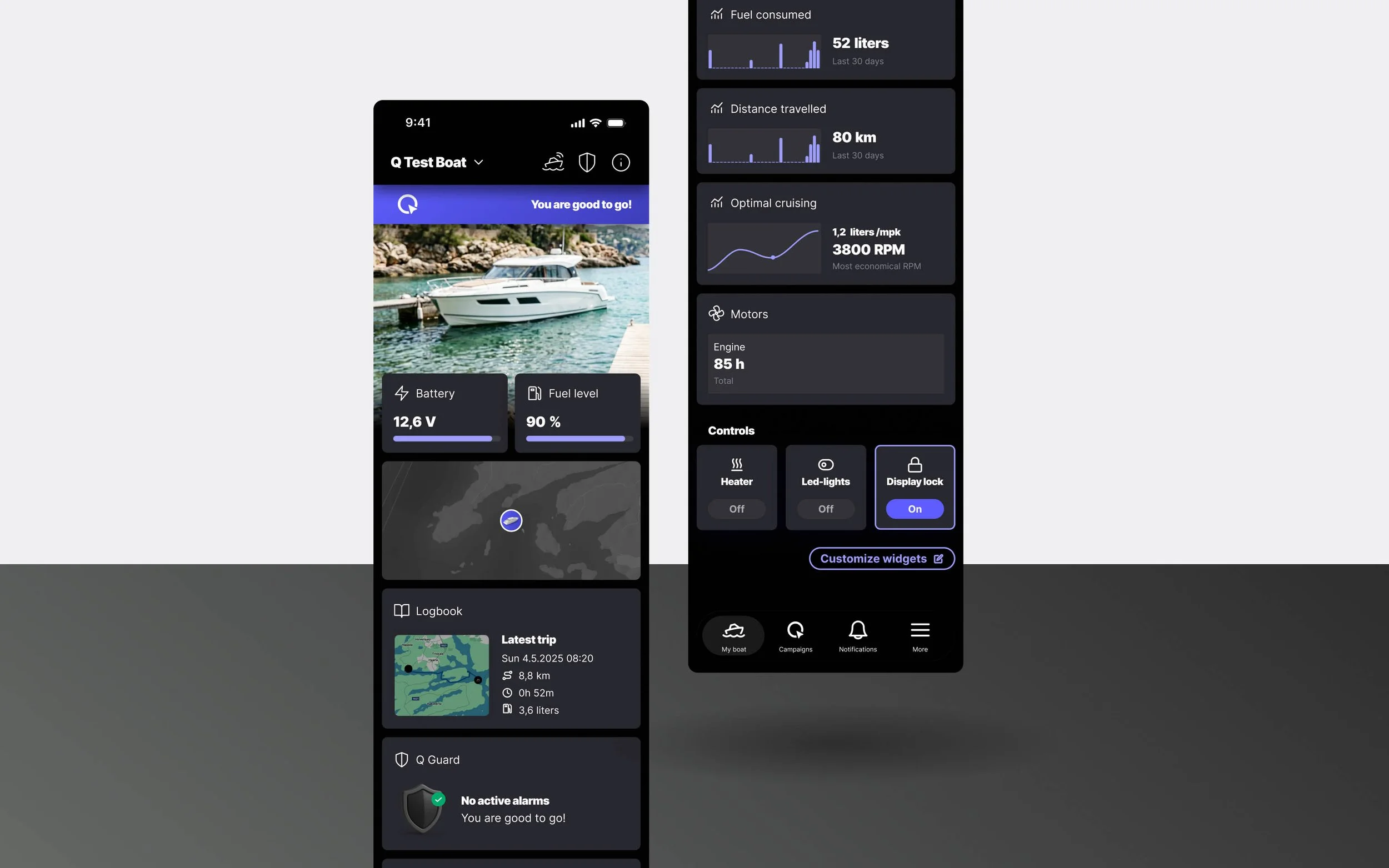
The redesigned home page gives you a complete overview of your boat at a glance. Battery and fuel levels, boat location, logbook, statistics, remote controls, and Q Guard alerts are all visible without navigating away from the home page. The most important information is right there when you open the app, giving you an instant picture of your boat's status.
You can also customize the home page to show exactly what matters most to you.
Requires a Q Connected subscription to access all features.
Battery voltage without Q Guard Cables
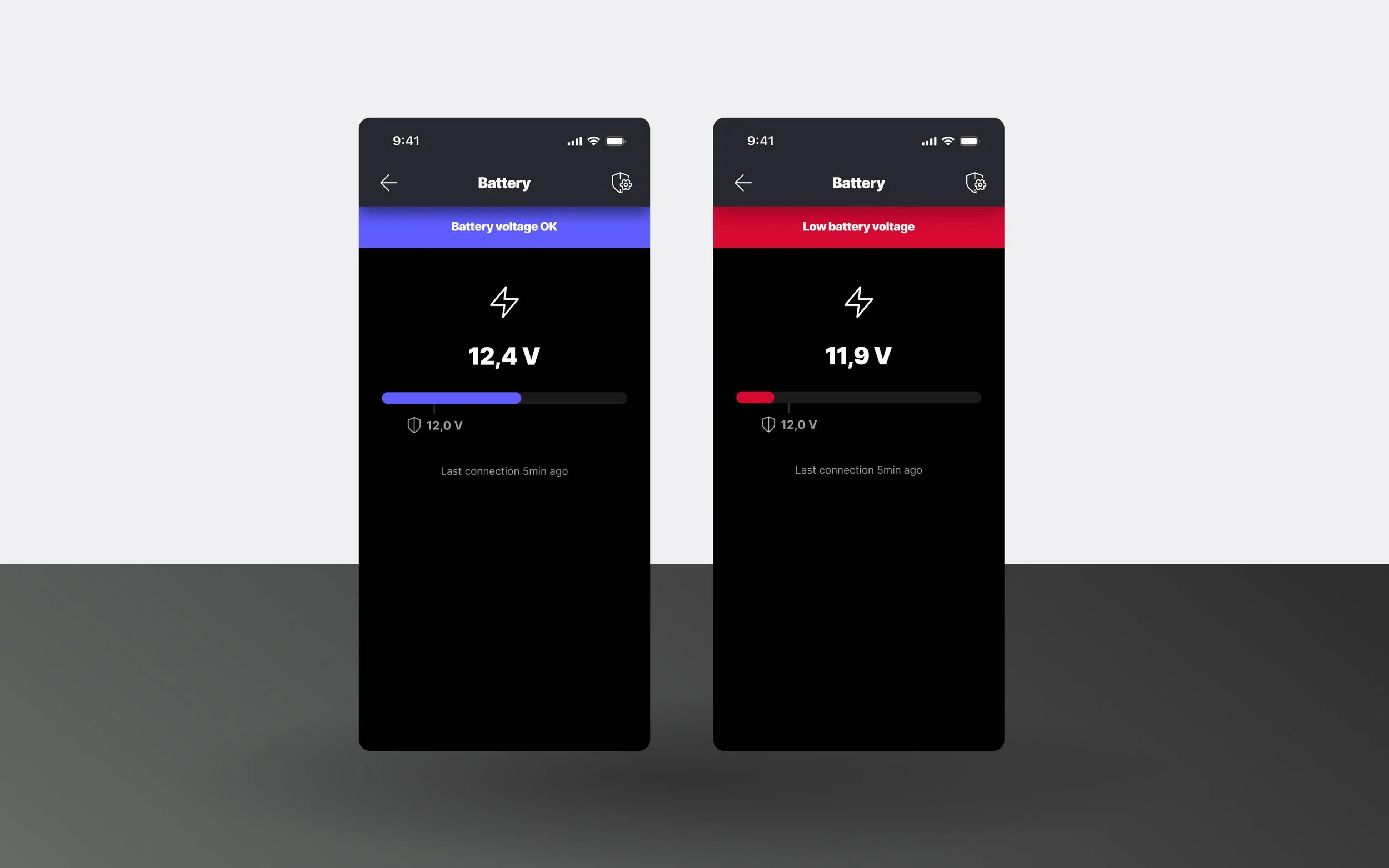
Your boat's battery voltage is now visible in the Q App for all Q Displays, without Q Guard Cables. From now on, the battery voltage is measured directly by the Q Display itself, even when the Q Display is powered off, meaning the Q App can now show the battery remotely without any additional hardware.
Keeping an eye on battery voltage is one of the most useful things you can do for your boat when it is not in use. A dropping voltage can indicate that something has been left on by accident, that the battery is aging, or that it is simply discharging over time. For lead-acid batteries, deep discharge can cause permanent damage. Catching a low voltage early means you can act before the battery is damaged or too depleted to start the engine.
Status bar
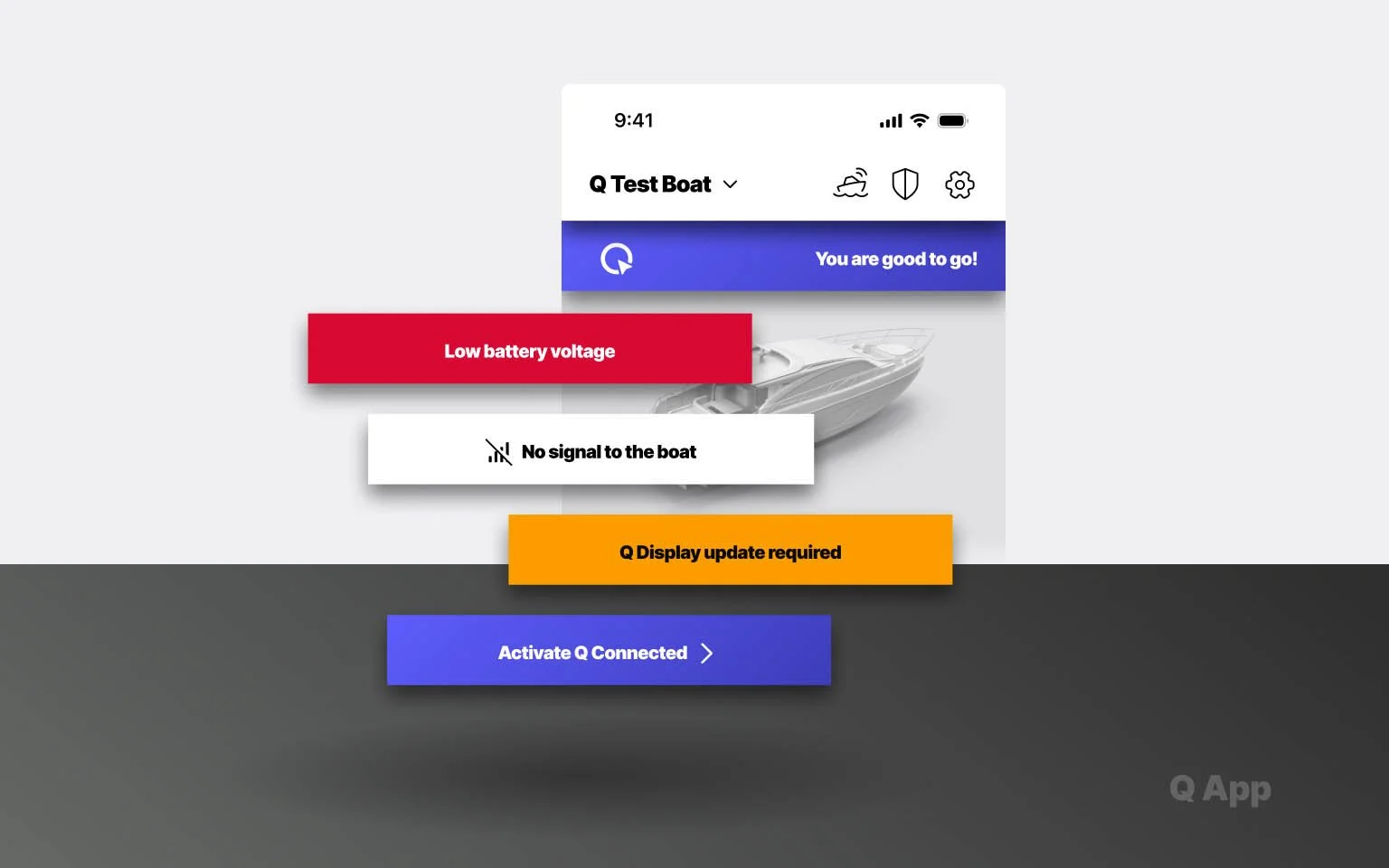
The new status bar appears throughout the app on pages where your boat's status is relevant. It is the first thing you see when you open the app, giving you an immediate read on the situation before you do anything else.
The status bar covers active Q Guard alerts, connection status, and whether your boat is currently out on the water. Whether something needs attention or everything is running smoothly, the status is always clear.
Q Connected pages
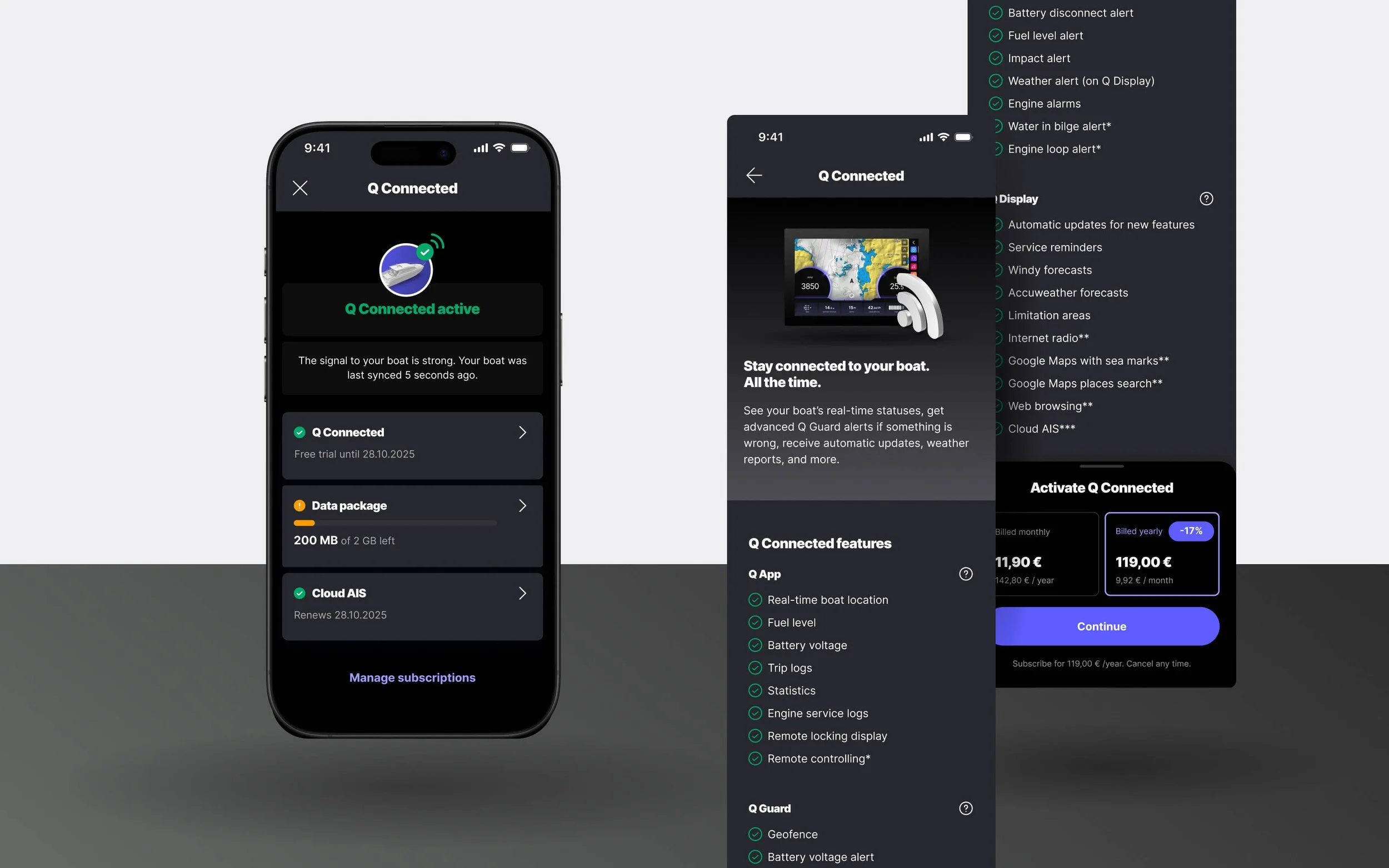
The Q App now has a dedicated Q Connected page that brings all your subscription information together in one place. See your subscription status and renewal dates, monitor your data package usage, and manage add-on services without digging through settings.
If you do not yet have Q Connected, the page guides you through activation and gives you a clear overview of what is included before you commit.
Shown prices are subject to change and may vary by geographical location
Onboarding
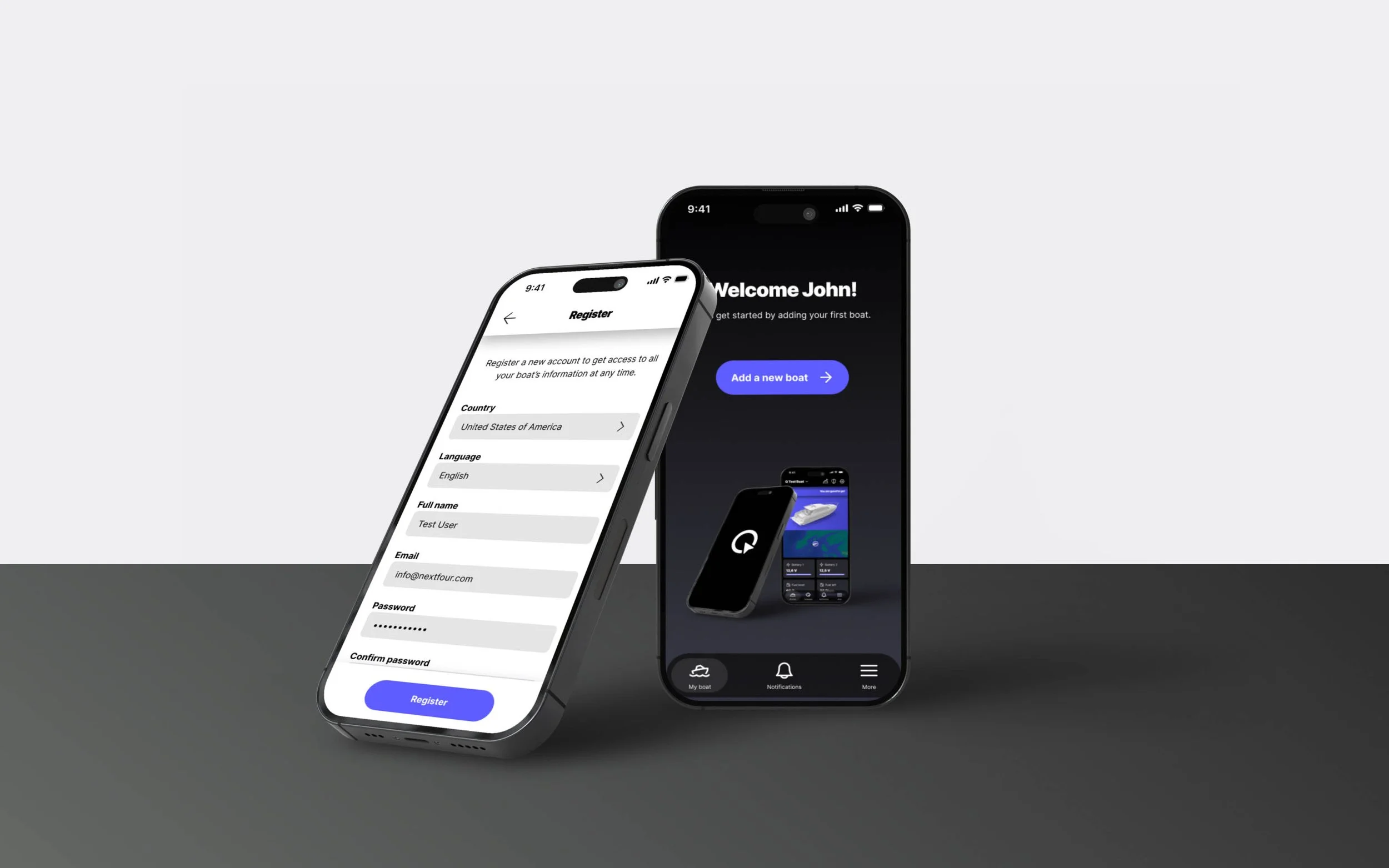
Adding your boat to the Q App is now easier than ever. The registration and boat linking flows have been completely redesigned to guide you through the process step by step, with clear instructions at every stage. Whether you are creating a new account, linking your boat, or setting up Q Connected for the first time, the app walks you through it all.
Q Guard
Q Guard is your boat's remote security and monitoring system. It keeps an eye on your boat around the clock and sends you an alert directly to your phone if something unexpected happens - whether you are at home, at work, or anywhere else.
New alerts
Q Guard alerts have been significantly expanded this spring, and include new alerts to all users:
Battery disconnect alert - Receive a notification if the battery is disconnected. This may indicate an attempt to steal your Q Display or other onboard electronics.
Impact alert - Receive a notification if your boat hits the dock or experiences an impact that exceeds the set threshold.
Low battery voltage alert is also available for all without Q Guard Cables - Receive a notification if the battery level drops below the alerting threshold, helping prevent deep discharge, battery damage, or loss of power needed to start the engine.
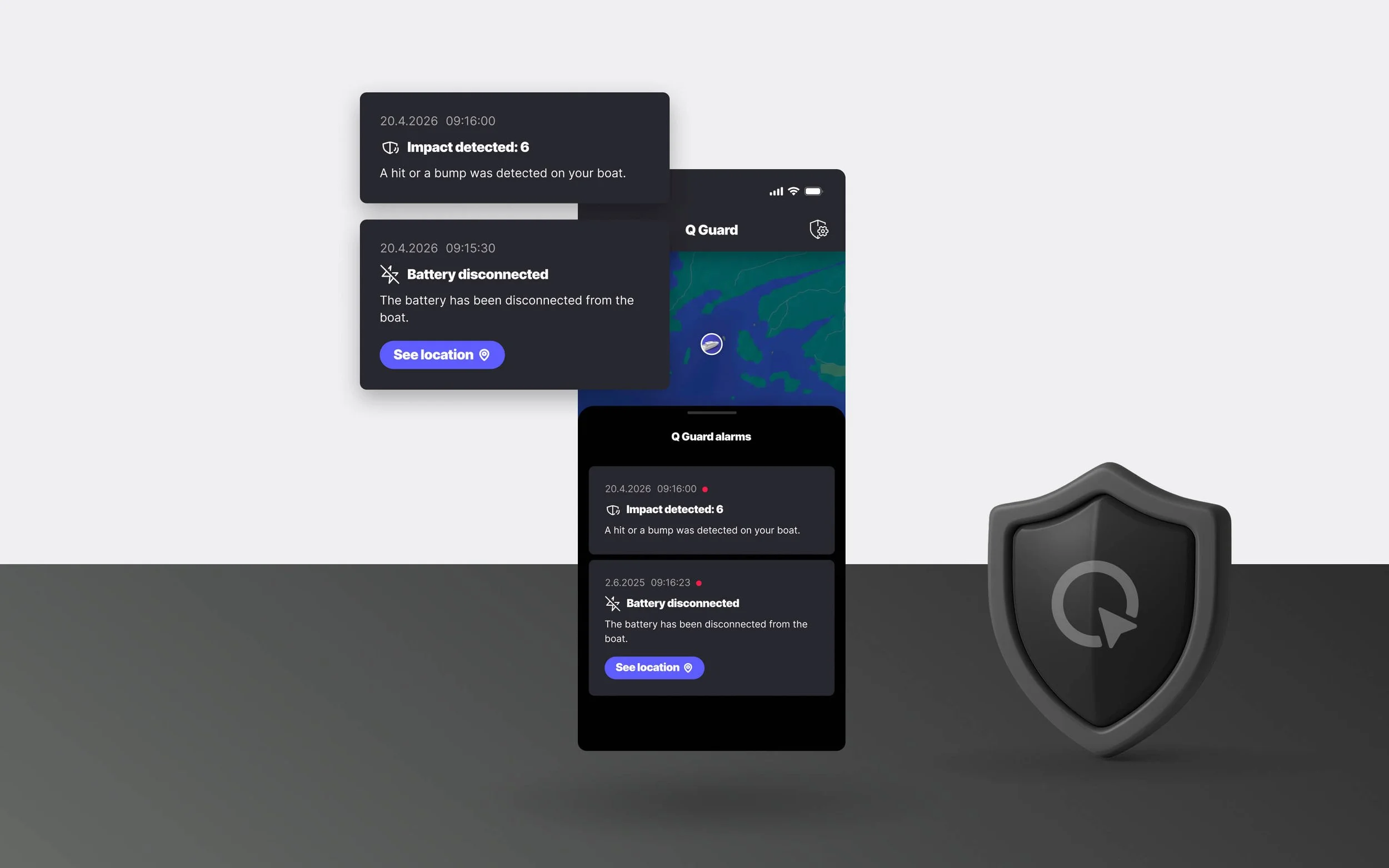
The following alerts have been available previously, and continue to work as before:
Geofence - Receive an instant alert if your boat is moved without your authorization.
Fuel level alert - Receive an alert when the fuel level sensor detects a critically low level, helping to avoid running out of fuel.
Bilge water alert* - Q Guard Cables include a bilge sensor that sends a notification if the water rises above a safe level.
Engine loop alert* - When the Q Guard Cables engine loop is connected, the system monitors the engine’s secure wire and triggers a loud siren with an instant notification if it’s cut.
Engine alarms - Get notified if your engine shows abnormal temperature, low oil pressure, or other critical alarms, so you can react early and keep your engine running safely.
*Available with Q Guard Cables
Q Guard alert log
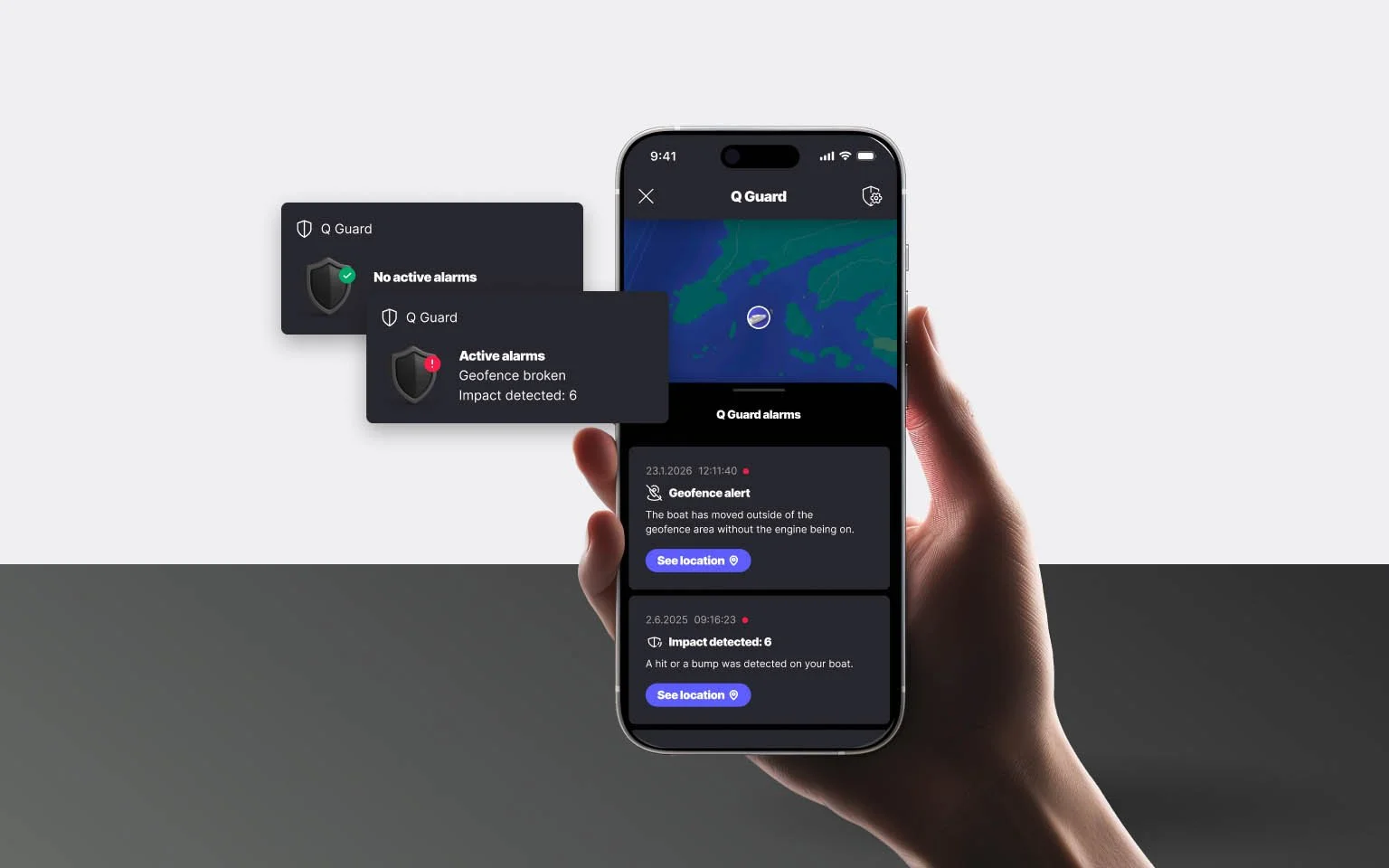
The Q Guard alert log has been renewed to give you a clearer picture of what is happening with your boat. Active alarms include a clear written description of what happened and when it occurred. For location-based alerts, such as a geofence, you can also see exactly where your boat was at the time of the alert.
Q Guard settings
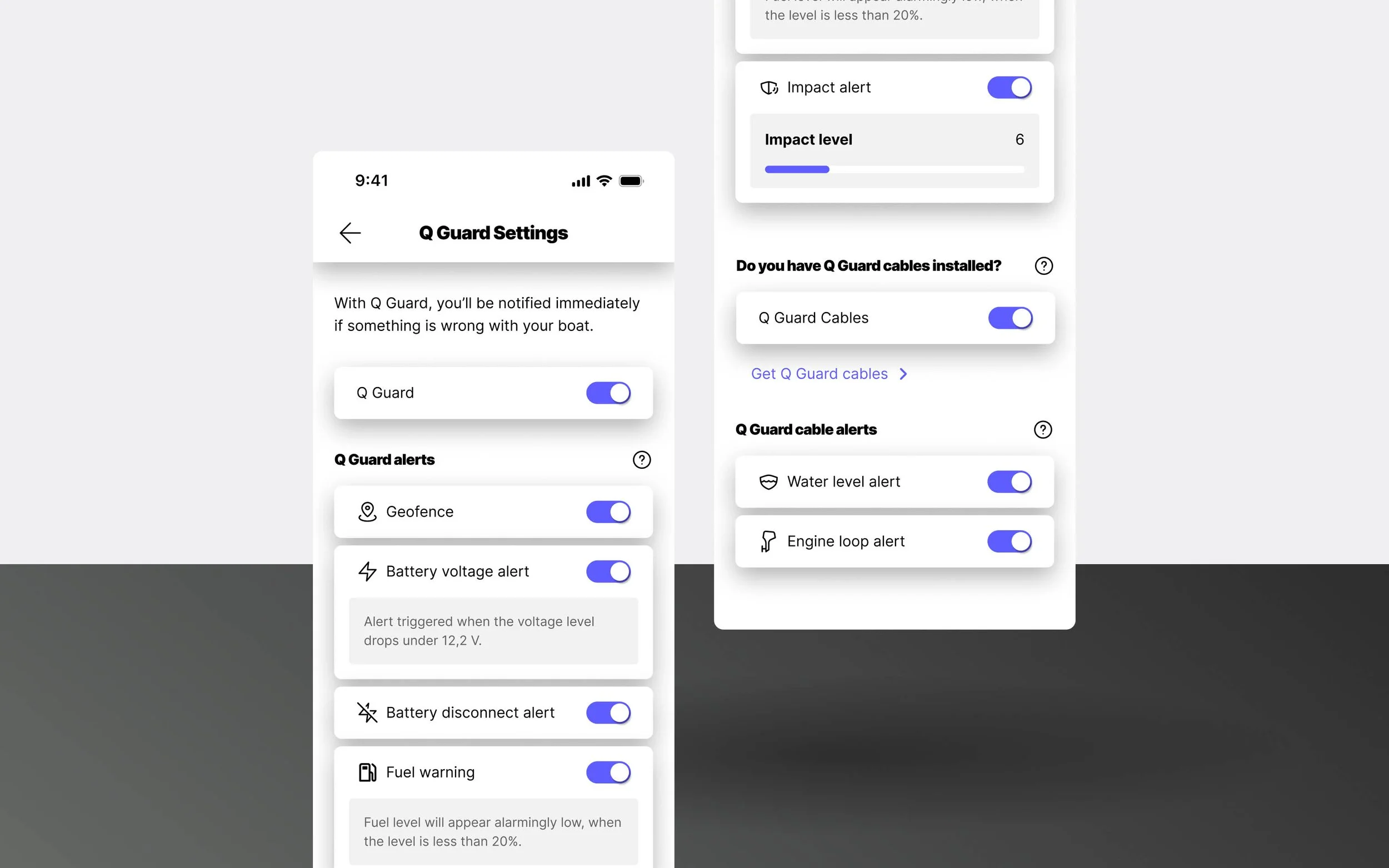
The Q Guard settings have been renewed to make the available alert options easier to understand and set up. Alerts are clearly divided into basic alerts that are built into all Q Displays, and additional Q Guard Cable alerts, to make it clearer what alerts are available to your boat.
Follow us