
All you need to know about battery voltage
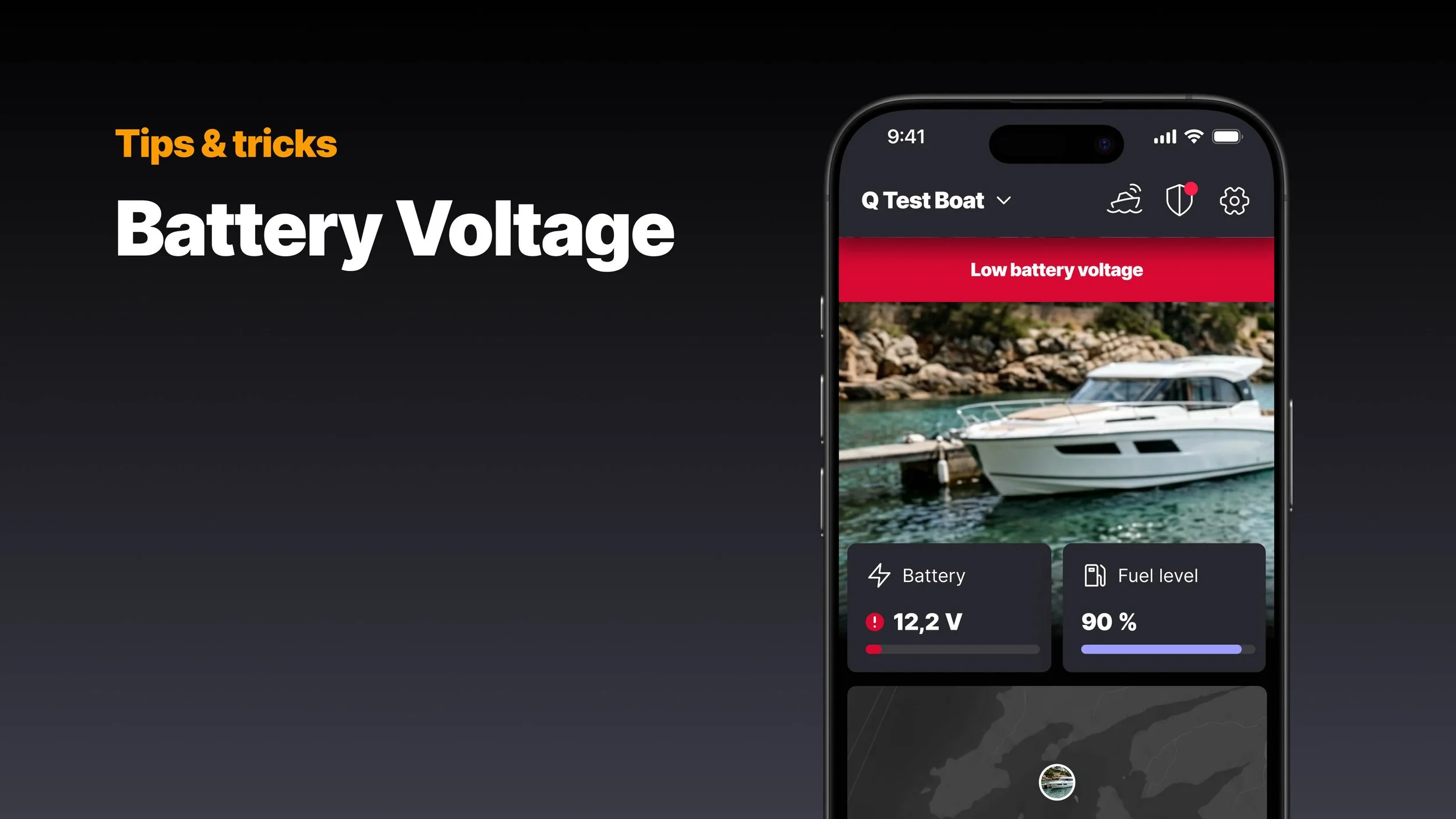
From engine start to onboard electronics and Q Guard alerts, your battery is at the heart of it all. Knowing your battery voltage means knowing your boat - and you - are safe.
Boating is largely an off-grid activity: anchoring off an island, mooring in a quiet bay, spending a weekend away from the marina. The battery handles everything: powering Q Display, lighting, the fridge, phone charging, and most importantly: starting the engine.
Lead-acid batteries, the kind found in most recreational boats, are capable and affordable. They do have one real weakness, though: they don't tolerate being discharged too deeply. Run one flat a few times, and it won't hold a full charge anymore. The damage is silent and cumulative. And out on the water, far from the nearest marina, a dead battery is not just an inconvenience.
Voltage is your best window into what's actually going on.
What the numbers mean
Battery voltage is measured in volts, and for a standard 12V lead-acid battery, the numbers tell a clear story once you know what you're looking at.
Full charge
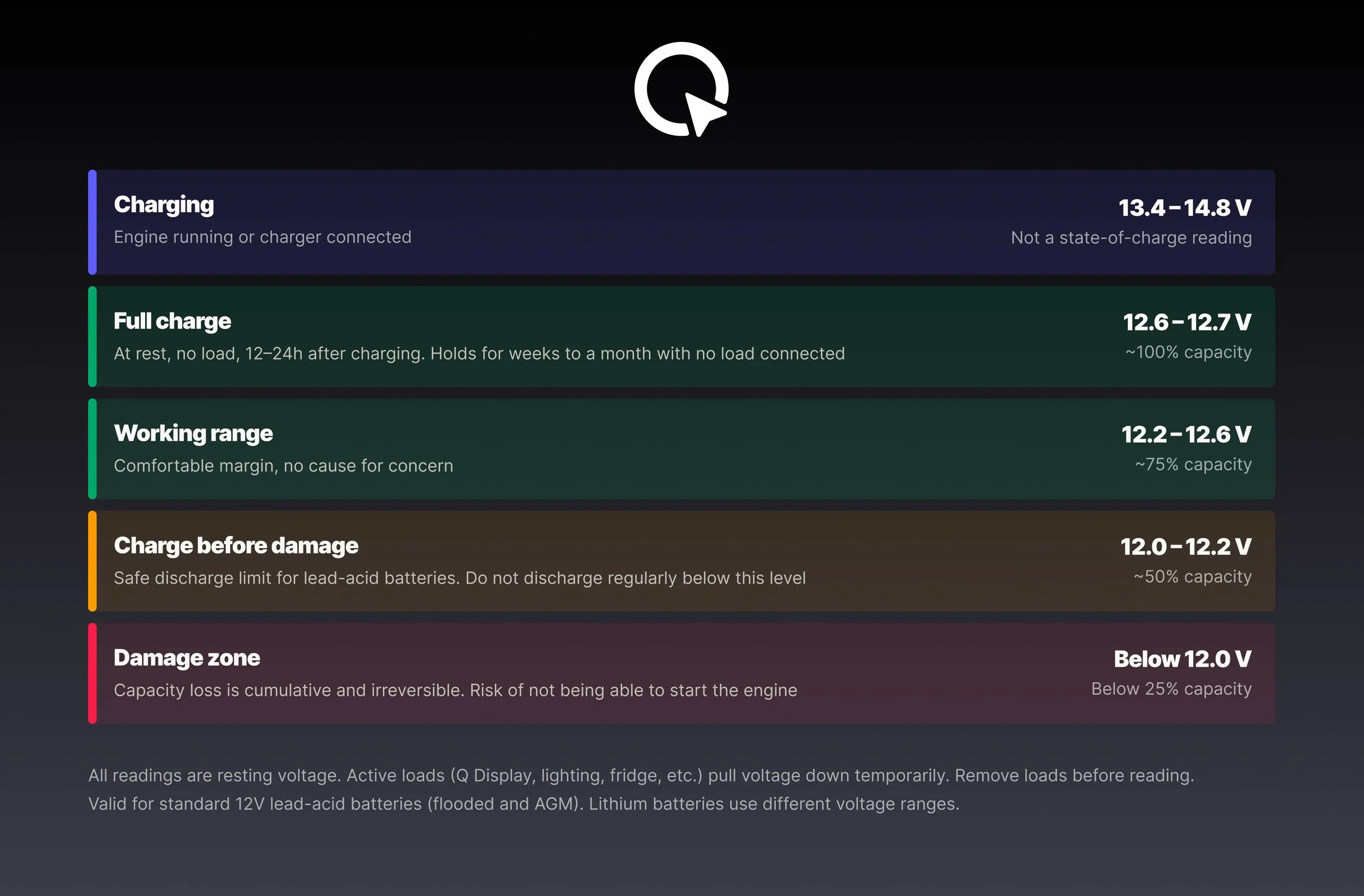
A fully charged battery at rest sits at around 12.6–12.7V.
A healthy lead-acid battery will hold that voltage for weeks, often a month or more, with no load connected. If it drops below 12.5V within a few days of charging, something is wrong: either the battery has already lost capacity and can no longer hold a full charge, or there's a parasitic load somewhere drawing power when it shouldn't be. A voltage that falls quickly while the boat sits untouched is worth investigating.
Working range
Between 12.6V and 12.2V is your normal operating window. The battery has charge to give, the electronics run fine, and there's no immediate cause for concern. Keep in mind that running onboard loads pulls the reading down while they're active. Navigation, the fridge, a heater, phone charging, or any other electronics you happen to have running. That's normal. Switch them off, and the voltage recovers. What matters is where it settles once the load is off.
At 12.2V at rest, the battery has lost roughly 50% of its capacity. So while a battery may be rated at 100Ah, the usable capacity in practice is closer to half that. So at 12.2V, you're already approaching the safe discharge limit. Unlike lithium batteries, lead-acid chemistry shouldn't be discharged beyond that. The damage from going deeper is gradual: the more often the battery is discharged below this point, the faster it loses capacity permanently. By 12.0V, that process is already well underway.
Charge before damage
By 12.0V, the damage is already happening, so the time to charge is before you get there, closer to 12.2V. Lead-acid batteries degrade fast when pushed too deeply: capacity loss is cumulative and irreversible, and it doesn't take many deep discharge cycles before the battery can no longer hold a useful charge. It won't give you any warning. One season, it simply won't hold a charge or start the engine.
That's exactly why ongoing monitoring matters.
When charging
When the engine is running or an external charger is connected, the voltage rises significantly, typically to between 13.4V and 14.8V. This is normal and expected. The reading during charging tells you nothing about the actual state of the battery; it simply reflects the charging source output. For an accurate picture of battery charge, first make sure the battery is fully charged, then check the resting voltage with the engine off, charger disconnected, and no significant loads running.
Battery voltage monitoring in the Q App
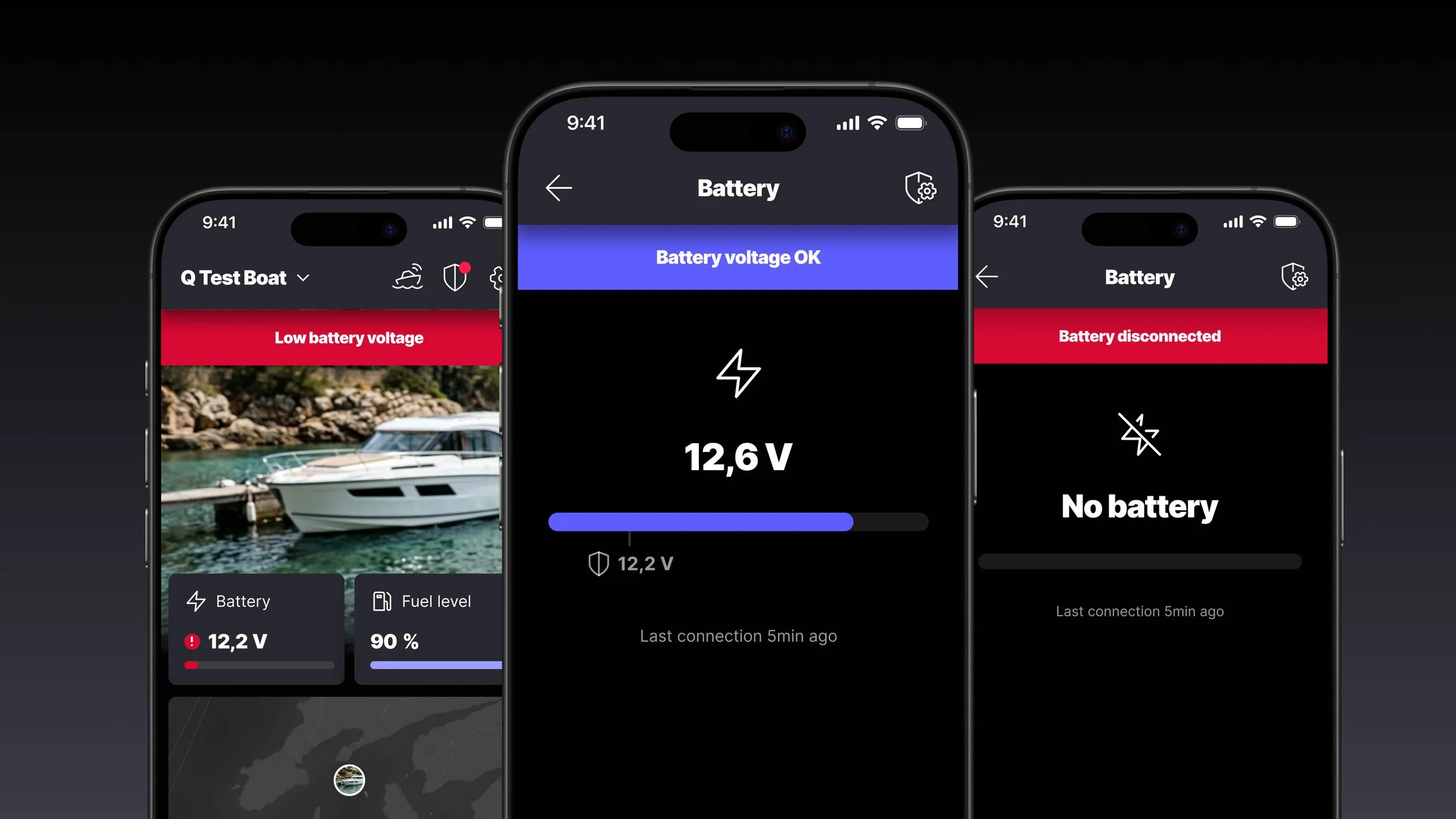
When you're away from the boat, the Q App is where battery monitoring really earns its place.
A significant voltage decline over several days can indicate the battery is aging and no longer holding a charge properly. A sudden drop might mean something has been left on: a fridge that was incidentally left on, a light that wasn't switched off, or any other unplanned load draining the battery while the boat sits unattended.
If your boat is normally left on shore power with a battery charger running, voltage monitoring adds another layer of security. A sudden drop from charging voltage back to battery level is a clear sign that shore power has been cut due to a tripped breaker, a disconnected cable, or a power outage at the marina. If you also have some onboard electronics running, the battery can drain fast.
Without visibility, you won't know until you get back to the marina, and by then, it might already be too late, and the battery will be damaged for good.
With the Q App's battery voltage alert, you get notified if the voltage drops below 12.2V, when you can still do something about it.
As of the Spring 2026 release, all latest-generation Q Display users can now see battery voltage directly in the Q App, with no additional hardware required. All it takes is an active Q Connected subscription.
Download the Q App and activate Q Connected to stay on track with your battery health.
Battery voltage on the Q Display
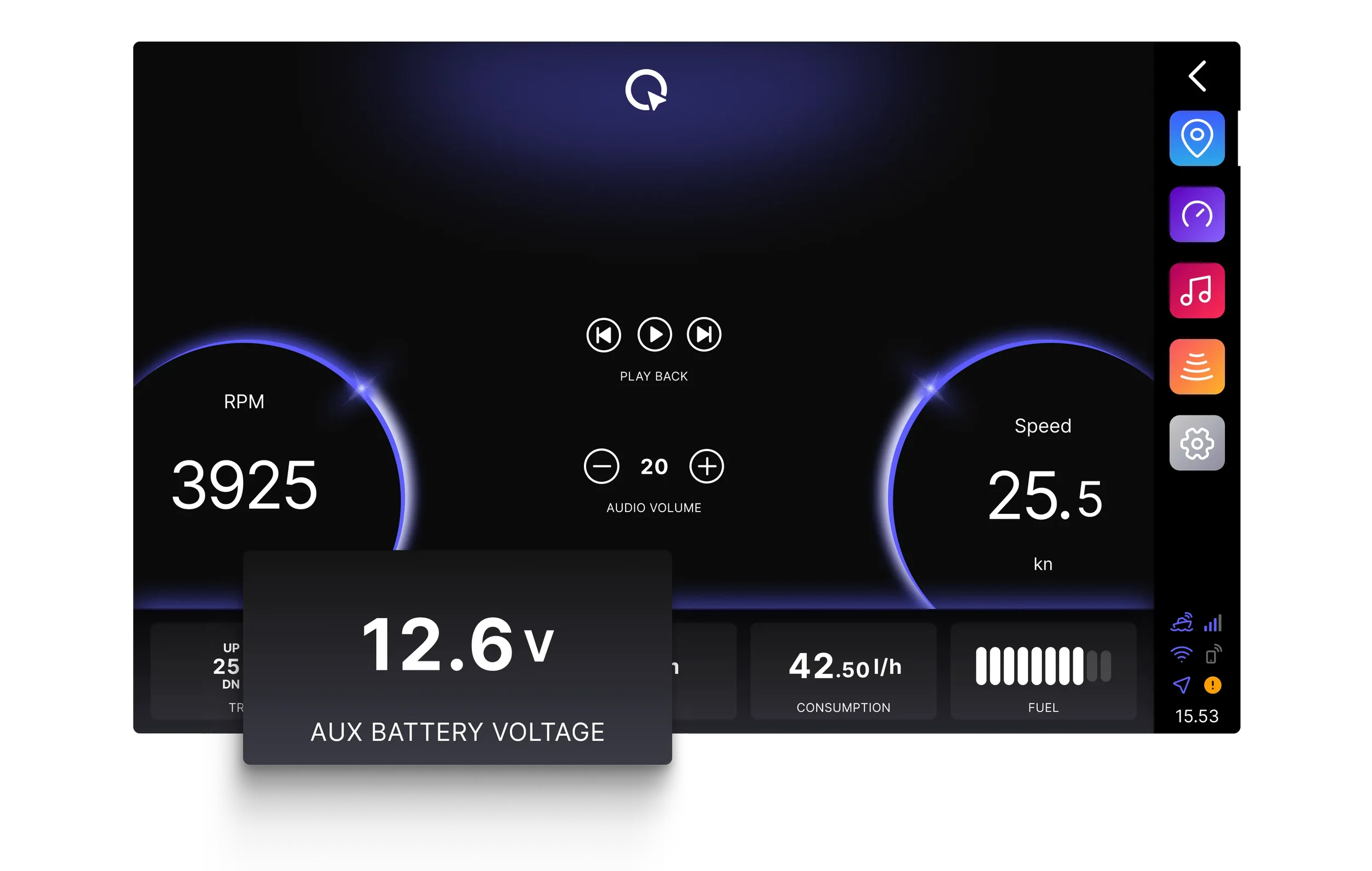
Q Display voltage is most useful when the engine is off, and the display is still running, drawing from the battery without the engine compensating. However, it is good to remember that Q Display itself also puts some load on the battery, so the best way to monitor your battery health is through Q App, when all load is off.
Add a widget
To see your battery voltage on Q Display at a glance, add the Aux battery voltage widget to your dashboard or chart view. Open the application Menu → Customize side/bottom panel → Resource → Aux battery voltage, and toggle it on. The voltage is now added to the side/bottom panel.
Calibrating the voltage measurement
When Q Display is powered on, it draws a small current through the same cable it uses to measure voltage, introducing a slight drop in the reading. This is normal and inevitable, but can be fixed easily.
To correct the Q Display voltage reading, measure the battery voltage directly from the battery with a multimeter to get the true value, then compare it with the reading shown on Q Display while the display is powered on. Go to Settings → Boat settings → Voltage measurement compensation and set the difference. The display will now show the actual battery voltage both on the Q Display and on the Q App.
Note that the compensation only applies when Q Display is powered on. When the display is off, there is no current on the cable, and the voltage measurement shown on the Q App is correct without any compensation.
Get started
Battery monitoring is one of those things that's easy to overlook until it's too late. The good news is that with a latest-generation Q Display and recently updated Q App, everything you need is already in place. Download the Q App, activate Q Connected, and your battery voltage is visible wherever you are, ready to notify you before things go wrong.
Download the Q App and activate Q Connected.
