


Q Connected
Stay connected. All the time.
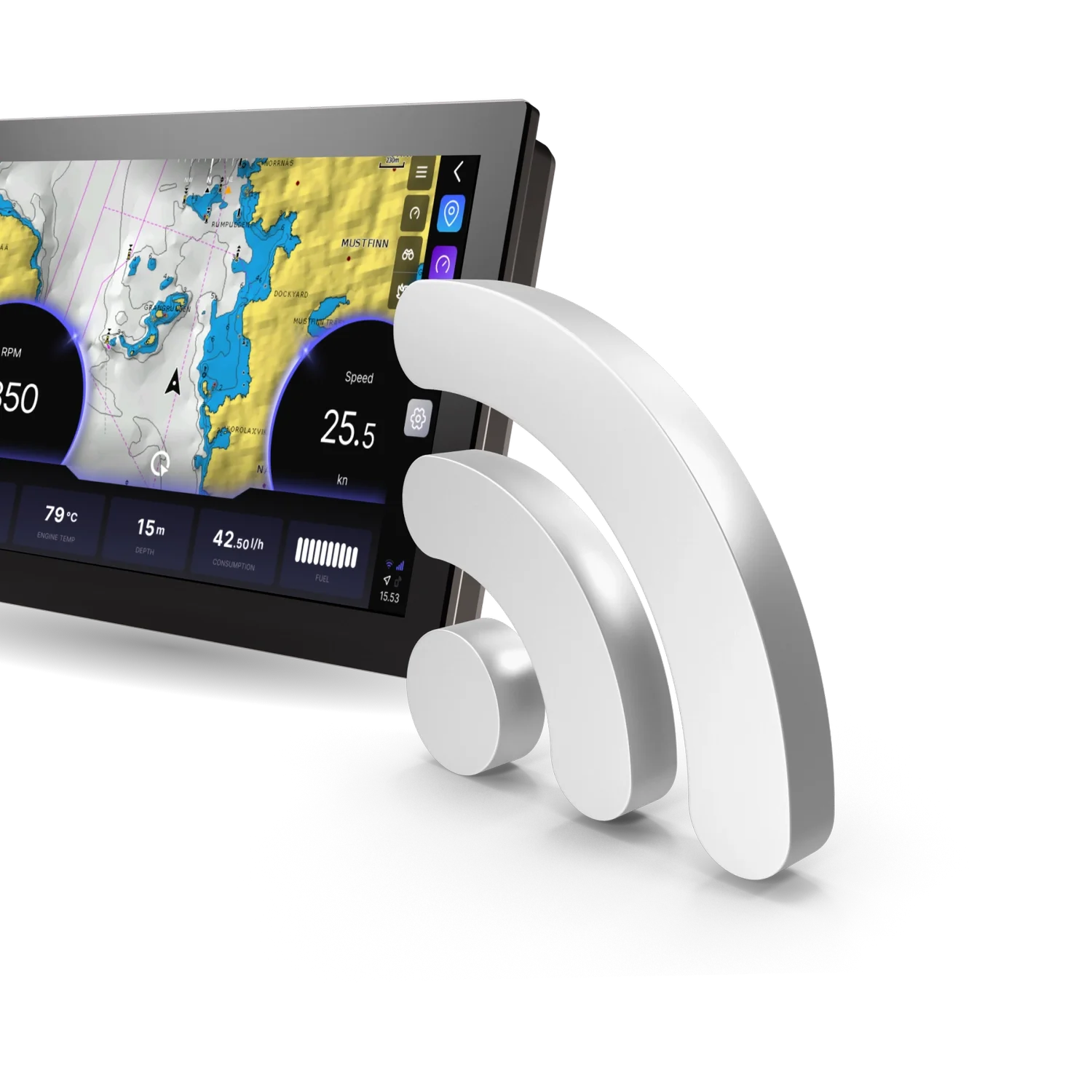
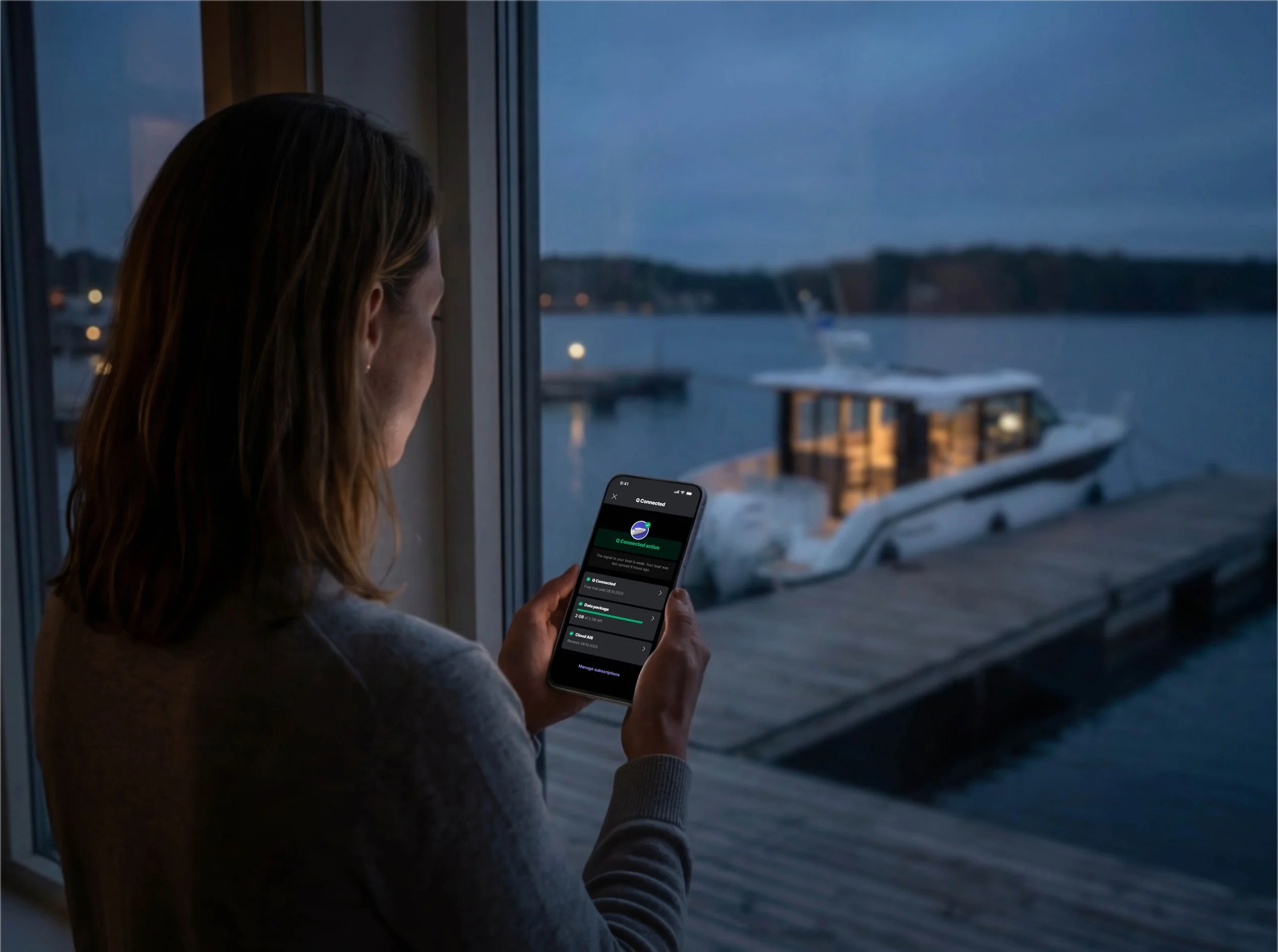
Q Connected is a subscription service that takes your Q Display online 24/7, giving you access to many smart features on your boat and offshore through the Q App. Q Connected improves your boating experience by letting you easily monitor and control various functions even when away from the boat.
Spring 2026 news
Q Connected is renewing
Going forward, there will be just one Q Connected subscription, with an option to purchase separate data packages if needed. Also, Q Connected will be the basis for all premium features on your Q Display and your mobile app. Features like Limitation areas, that previously required separate add-on subscriptions, will be included as standard.
For existing subscribers
All existing subscriptions will be automatically moved to the new model. If you had a discontinued Q Connected+ subscription, your subscription will continue with the renewed Q Connected, and you’ll receive extra data for the remainder of your subscription period.
The change has taken effect at the end of April 2026.
Q Connected
11,90 € / month
119 € /year
Starting from
Unlocks the 24/7 connection between you and your boat
Takes your Q Display online, providing automatic updates, weather forecasts, online places search, and more
Unlocks all Buster / Yamarin / Cross mobile app premium features, including real-time boat data and remote controls
Provides a Q Guard security system with 24/7 monitoring and alerts to your phone
All prices include VAT. Pricing may differ depending on your location. For up-to-date and region-specific pricing, refer to the Buster / Yamarin / Cross app → Q Connected.
What’s included?
Q Connected upgrades your boat with smart features, with its 24/7 internet access. Check the list below for what you get with a Q Connected subscription and what you miss without it.
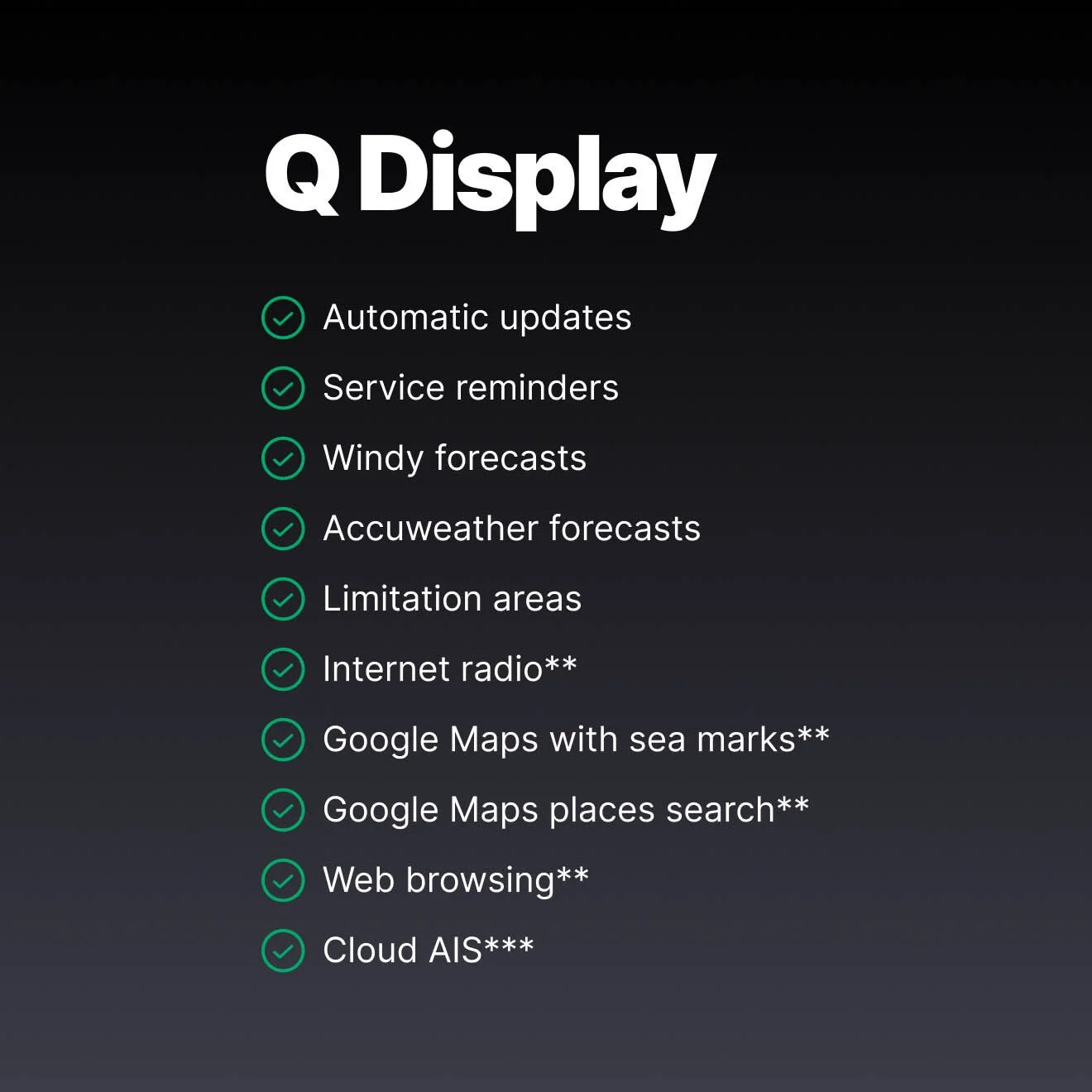
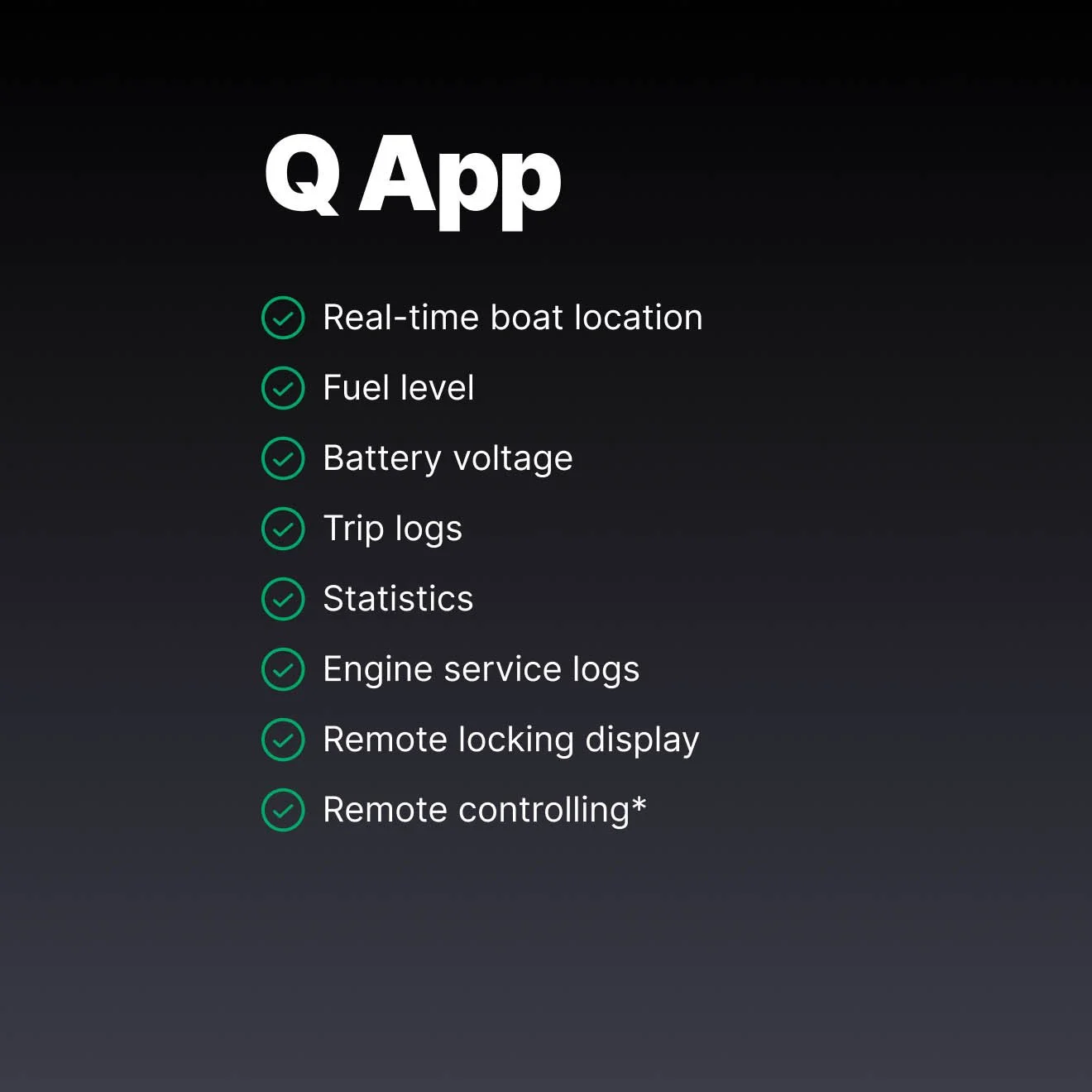
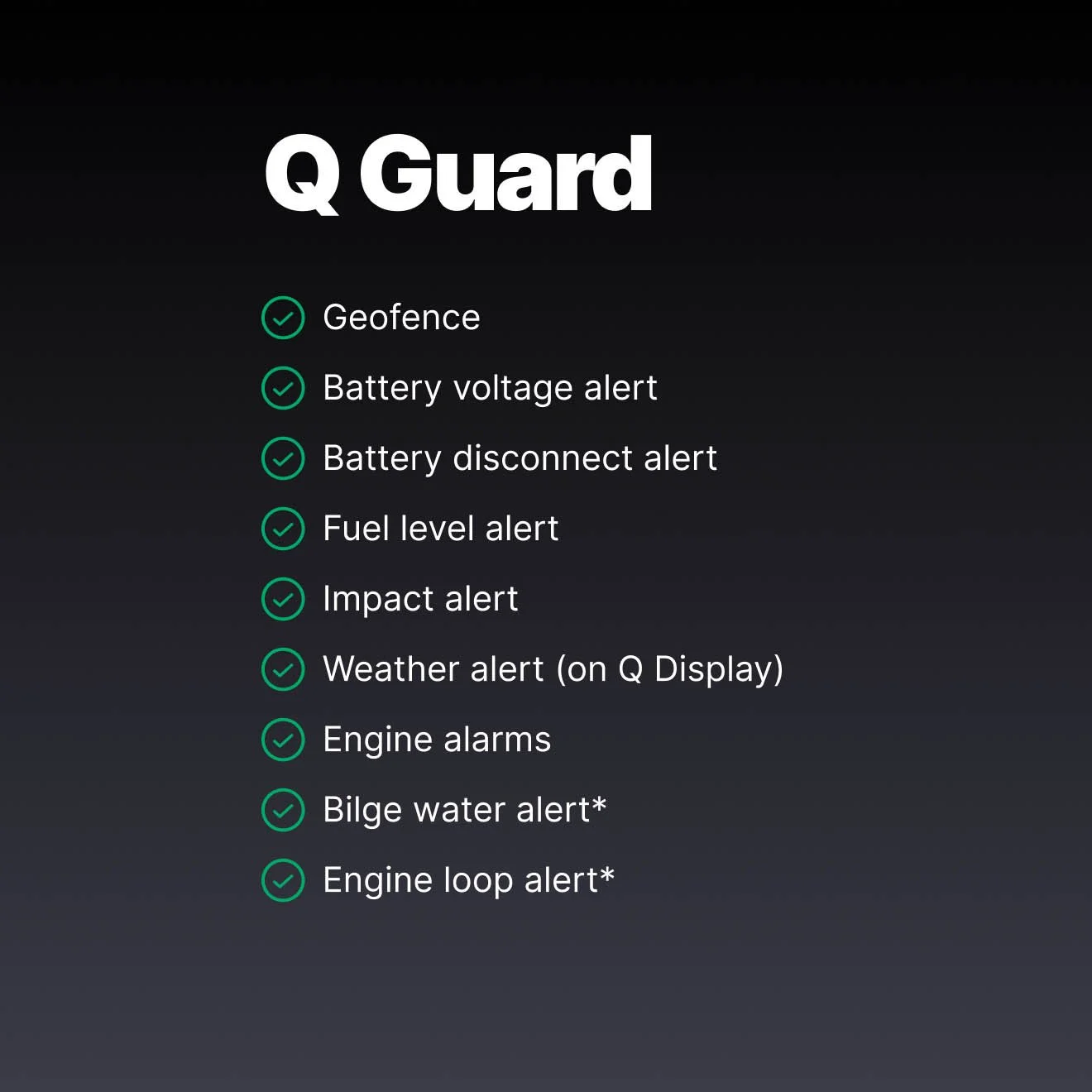
*With Q Guard cables
**Available with an add-on internet data package, or other external internet connection, such as a mobile phone hotspot
***Available with add-on Cloud AIS subscription
Optional add-ons
Make the most of your Q Display. Add optional internet data packages or Cloud AIS objects for a richer boating experience.
Data packages
Some features on your Q Display rely on heavy internet usage, such as searching places with Google Maps, browsing the internet and listening to internet radio. While Q Connected is the foundation for all premium features, these data-intensive features require a separate internet data connection on top of the subscription.
With a data package, your Q Display has its own always-on internet connection without connecting to any external sources, and the connection can be shared with all other onboard devices, creating a private network on your boat.
Q Connected data packages are available as a one-time purchase in 1 GB increments. Buy what you need, when you need it.
Starting from
4,90 € / Gb
with the Q SIM card
Cloud AIS
The Cloud AIS subscription brings AIS targets to the Q Display’s chart, without the need for an external AIS receiver.
Collision warnings – Cloud AIS alerts you if you are on a collision course with another ship.
Man Over Board - the Q Display will show you the person in distress on the chart, and help you to navigate to the location.
Note! The Cloud AIS does not send out your position to other AIS users; it is purely a way to view AIS targets on the chart.
An active Q Connected subscription is required to purchase the Cloud AIS subscription.
Starting from
7,99 € / month
59 € / year
-
Make sure your Q Connected subscription is active
Go to Buster / Yamarin / Cross app → Q Connected. Select the desired add-on
Purchase the add-on directly from the mobile app
Requires Q Display software version 2606.1208 or newer.
-
Yes. Any external internet connection works, such as a mobile hotspot, external WLAN, or even your own SIM card.
However, a Q Connected data package is the most convenient option as it gives your Q Display its own always-on internet connection without any external setup, and the connection can be shared with all other onboard devices.
-
Cloud AIS is an optional add-on that brings AIS vessel data directly to your Q Display chart without the need for an external AIS receiver. It shows nearby vessels with their name, position, speed and course, and provides collision warnings and Man Over Board alerts.
Cloud AIS is a receive-only service, your position is not transmitted to other AIS users. Whether you need it depends on your boating area and habits.
All prices include VAT. Pricing may differ depending on your location. For up-to-date and region-specific pricing, refer to the Buster / Yamarin / Cross app → Q Connected.
Please note!
A restart of the Q Display is required for the subscription to take effect.
How to activate your Q Connected?
-
Download the mobile application
Buster Boats
Apple App Store
Google Play Store
YamarinApple App Store
Google Play Store
Cross Boats
Apple App Store
Google Play Store -
Create an account and add your boat, as instructed in the app.
Link your boat by scanning the QR code on the Q Display
You can find the QR code in your Q Display: Settings → Q Connected
-
In the mobile app, go to → Q Connected, and activate the subscription
If your Q Display doesn’t have integrated SIM card, the Q App will guide you through to order it
Done! Your Q Connected subscription will activate on the next restart of the Q Display.
-
Boats manufactured 2023 or later
Your boat will most likely have a SIM card installed at the factory. You can activate the Q Connected subscription directly.
Boat manufactured before 2023
Your Q Display doesn’t have a factory-installed SIM card, so the mobile application notifies you that “No device SIM → Get a free SIM card”. Order a valid SIM card for free via the link.
Then follow the installation instructions:
Make sure the Q Display is turned off before installation.
Locate the SIM card slot at the back of your Q Display.
Remove the SIM card from the plastic holder in the second smallest size (Micro SIM)
Install the SIM card in the SIM card slot
→ Make sure the SIM card clicks into place.
→ Pay attention to the orientation of the SIM card; the correct orientation is shown below the SIM card slot.
Note!!! Installing the SIM card in the wrong way might break the card slot.
With the SIM card installed, check that the Q Display recognizes the SIM.
→ Turn on the Q Display and go to: Settings > System settings > System info > SIM IMSI
→ If you see a series of digits on the IMSI row, your Q Display recognizes the SIM, and the installation was a success.