
Q Display 2
USB Update
The Q Displays needed to be updated to the latest version by the end of May 2025 to ensure the security, stability, and functionality of the devices. Starting from June 2025, devices that hasn’t been updated will continue to function normally otherwise, but they will no longer be able to connect to the internet.
The good news is that Q Display 2 devices can be still updated to the latest version with USB memory stick.
Instructions to update the device
To do the update, you need:
A fast USB 3.0 compatible memory stick that has at least 600 Mb of space.
We recommend SanDisk or Kingston USB 3.0 compatible devicesAccess to the back of the Q Display 2
Download both files to your computer and follow the next steps.
Note! The download starts automatically.
1. Copy both files to a USB memory.
2. Do not change anything concerning the file names
3. Locate the ‘BUS’ connector in the back of your Q Display 2 device, and insert the USB memory. The Q Display can be powered on or off when entering the memory.
4. Power the device on (if it isn’t yet).
5. In few seconds a notification will pop up on the screen. Accept the download by clicking the green checkmark.
If the notification disappears before you took any action, it can be found by clicking the the yellow circle with exclamation mark in the bottom-right corner of the display.
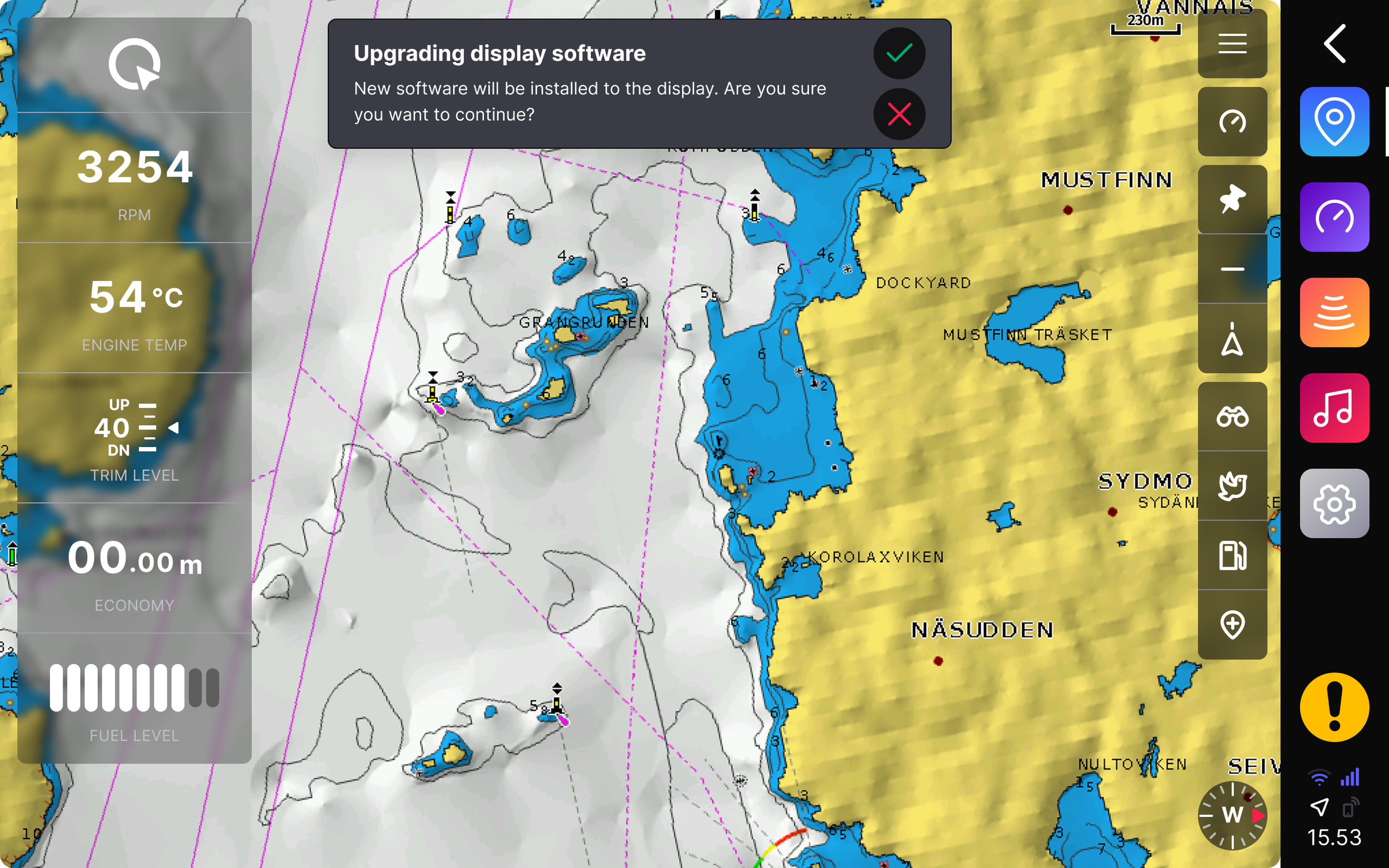
The download takes approximately 30 seconds to 1 minute. The installation will start automatically after the update has been downloaded
6. A notification to restart the device will pop up after the update is installed. Accept the restart by clicking the green checkmark.
Note! Wait patiently - it will take about 20 seconds for the device to power on again. Do not shut down the device during the restart.

The device is now updated to the latest software, and everything works like before.
7. Remove the USB memory stick after the device has turned on again.
-
Make sure you are using the correct type and format USB stick:
The USB needs to be in the FAT32 format. You can make sure the memory is in the correct format by right-clicking the USB memory on your computer and selecting ‘Format…’
The files need to be in the root level of the memory stick, which means they cannot be in any folder.
The file names must be left as they are. Do not change the file names, nor add or change any file name extensions